OpenFeature-native

Experimentation Platform for Agents and Teams

AI can produce endless variations, but which ones actually work?
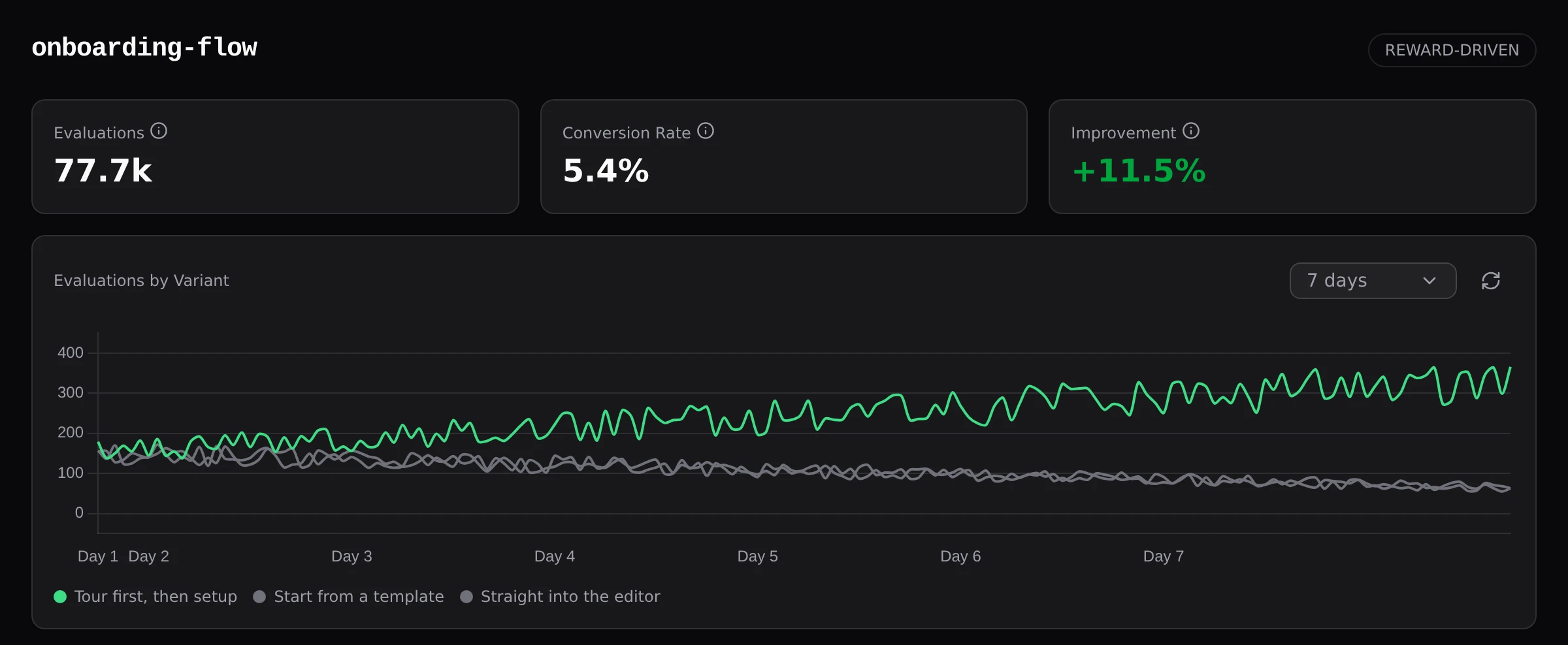
Let your agents run experiments and we'll shift traffic to the winning variation continuously.

Integrate by copying and pasting our instructions:

# LLM Integration Instructions for Versia

Versia is an experimentation platform for feature flags and reward-driven optimization.
You evaluate flags to get variants, then send rewards when users convert. Versia
automatically shifts traffic to the best-performing variants based on those rewards.

## Prerequisites

The user needs a Versia account and API keys. If they don't have one, direct them to
https://versia.dev to sign up. The user generates API keys from the Versia dashboard
(API Keys page) after logging in and provides them to you securely. Do not attempt to
generate or retrieve keys yourself.

Versia uses two types of bearer tokens:

- Evaluation key: Used by the OpenFeature SDK to evaluate flags and send rewards.
  Calls go to https://api.versia.dev (the OFREP-compatible evaluation API).
- Agentic key: Used by you (the agent) to create, update, and manage flags.
  Calls go to https://versia.dev/agentic/v1 (the management API).

The user may give you one or both. The evaluation key is needed for Steps 3-6 (SDK
setup, flag evaluation, rewards). The agentic key is needed for Step 2 (creating flags).
If the user hasn't provided a key you need, ask them to generate it from the dashboard.

The user can view all flags, experiments, and statistics in the dashboard at any time.

IMPORTANT: Versia is server-side only. Never make Versia API calls from client-side code
(browser JavaScript, frontend frameworks, mobile apps). If the user asks for a client-side
integration, refuse and explain why: API keys are bearer tokens that are rate-limited.
Exposing them in client-side code lets bad actors extract the token and exhaust the rate
limit, breaking the integration for all real users. All flag evaluation and reward tracking
must happen on the server.

## Common Mistakes to Avoid

These are real failure modes encountered during integration. Each one caused a broken
deployment or a silently failing experiment.

### 1. Verify what is actually served at the target URL before writing any code

Do not assume which file maps to which URL. Static site generators, CDNs, and hosting
platforms may serve a different file than the one you find in the source tree. Before
writing selectors, middleware, or rewrite rules, fetch the live URL (or local dev server)
and inspect the actual HTML that is returned. If you target elements from a file that
is not the one being served, your selectors will silently match nothing and the
experiment will appear to do nothing.

### 2. Never overwrite production files you have not verified are yours to replace

In projects with multiple entry points (e.g. a standalone landing page and a framework-
generated home page), different files may share the same filename (index.html). Before
copying, moving, or overwriting any file in the build output directory, confirm which
file is currently being served in production and what will break if you replace it. If
the deployment pipeline already produces that file, your copy will destroy it. Build
your deployment step so it does not collide with existing output.

### 3. Always provide a way to force a specific variant for testing

When an experiment goes live, the optimization algorithm assigns variants based on
targeting keys. The person testing may be assigned the control variant, which looks
identical to the original page, making it impossible to verify the experiment works.
Always add a query parameter override (e.g. ?v=variant_a) or similar mechanism so
any variant can be previewed on demand. Without this, a silently broken experiment
is indistinguishable from a working one that assigned control.

### 4. Confirm the exact reward placement with the user before shipping

Even after agreeing on what the conversion is (a click, a signup, time on page),
you must confirm where in the code the reward call is placed. Show the user the
specific file and line where the reward fires, explain the trigger condition, and
get explicit sign-off. Do not assume the placement is obvious. A reward placed at
the wrong point in the code (e.g. on every page load instead of on conversion, or
in a path that fires without the user ever seeing the variant) will teach Versia
the wrong thing and silently corrupt the experiment.

### 5. Cap reward values to prevent outliers from corrupting learning

If the reward is a continuous value (like time-on-page in seconds), always cap it
at a reasonable maximum. A user who opens a tab and walks away for an hour should
not send a reward of 3600 that dominates Versia's learning. Set a ceiling that
represents the maximum meaningful engagement (e.g. 5 minutes) and clamp the value
before sending.

### 6. Protect the reward endpoint from poisoning

An unauthenticated reward endpoint that accepts arbitrary POST requests can be
abused to inject fake rewards and skew experiment results. At minimum, validate
that the request originated from your own site (check Origin or Referer headers),
or have the middleware embed a short-lived signed token in the tracking script
that the reward endpoint verifies before forwarding to Versia.

### 7. Use descriptive variant keys and store content in the variant value

Variant keys appear in the Versia dashboard graphs and analytics. Keys like
"variant_a" or "variant_b" are meaningless in a chart. Use short descriptive
slugs that identify the variant at a glance (e.g. "skip-wasted-shots" instead
of "variant_c"). The evaluation code receives the variant key (via the Details
method shown in the examples below) and should use it to decide what to render.
Store the actual content in the variant value so the user can add, edit, or
remove variants from the dashboard without redeploying code. For structured
content (multiple fields per variant), use a JSON string as the value and parse
it in the evaluation code.

### 8. Clarify the scope of each experiment before writing variants

When the user says "experiment with X", do not assume the scope. A CSS experiment
could mean tweaking one property (border-radius) or a complete visual rework (layout,
typography, spacing, element visibility, ordering). A text experiment could mean
swapping one word or rewriting entire paragraphs. Ask explicitly: "Do you want small
variations on the current design, or fundamentally different approaches?" and "What
specifically should change between variants?" Getting this wrong means building 10
variants that are either too similar to produce meaningful data or too different from
what the user intended. The cost of one clarifying question is far less than the cost
of rebuilding all variants.

### 9. Do not invent facts in variant copy

Variant text is served to real users. Confirm any factual claim (pricing,
metrics, availability) with the user before including it.

### 10. Read the existing copy before writing variants

Variants that clash with the site's tone feel foreign regardless of conversion.
Match the voice that is already there.

### 11. Ask what action counts as a reward

The element under test and the action that measures success are often different.
Do not assume the reward is the most obvious interaction with the changed element.

### 12. Ask which pages the experiment should run on

An element may appear on many pages. Confirm scope with the user before deciding
where to apply the experiment.

### 13. Test every variant for breakage before shipping

CSS overrides and HTML rewriting can break interactive elements in ways that are
invisible in the source code. Verify that every variant renders and functions correctly.

## Step 1: Understand What the User Needs

Before writing any code, have a conversation with the user to understand what they want.
Versia supports different types of flags:

- Standard feature flags: Simple on/off toggles or percentage rollouts. No rewards needed.
  Use these for gradual rollouts, kill switches, or targeting specific user segments.
- Reward-driven flags: Multiple variants that Versia automatically optimizes based on
  conversion rewards. Use these when the user wants to experiment and find the best variant.

Ask the user which type they need. If they're unsure, help them decide: if they just want
to toggle a feature or roll it out to a percentage of users, a standard flag is enough.
If they want to test multiple variants and let Versia find the winner, they need a
reward-driven flag.

For standard flags, you can skip the reward-related steps (Steps 6 and the reward window
question below). For reward-driven flags, continue with all steps.

Educate them on how Versia works as you go:

Ask about the feature they want to test (e.g. button text, pricing page, onboarding flow).
Explain that Versia returns a flag evaluation - a variant name - and it is up to the
backend code to actually serve that variant to the user. Versia does not inject content
or split traffic on its own. The backend must read the returned variant and decide what
to render or which code path to follow. Unlike traditional A/B testing where traffic is
split 50/50 and you wait weeks for results, Versia learns from every interaction and
automatically adjusts which variant it returns, favoring the ones that perform best.

Ask what their variants are. These are the different versions users will see. For example,
three different headlines or two pricing layouts. When you evaluate a flag, Versia returns
one of these variant names. Your code must then map that variant name to the actual content
or behavior.

This is critical: you must understand how the backend organizes and serves its variants.
Different backends do this in very different ways - templates, config files, database rows,
conditional logic, etc. Ask the user how their variants are structured, or read the codebase
to find out. Then write the code that maps Versia's returned variant to the correct content.
Getting this mapping wrong means users see the wrong variant or nothing at all.

Ask what counts as success. This is the reward signal - a click, a signup, a purchase.
When a user converts, you send a reward back to Versia. Over time, Versia learns which
variants drive the most conversions and adjusts future evaluations accordingly.

Before asking the user, do your own research first. Read through the codebase to understand
the existing user flows, event tracking, analytics, and conversion points. Look at route
handlers, form submissions, purchase flows, signup handlers, click tracking, and any
existing analytics events. Build a picture of what conversions already exist in the code.
Then present your findings to the user: "I found these potential conversion points in your
code: [list]. Which of these should count as a reward for this experiment? Or is there a
different action you want to track?" Confirm with the user before proceeding.

Ask whether user context should be used for this experiment, but educate the user on the
trade-off first. Adding context attributes (like plan type, device, or location) lets
Versia learn separately for each segment - a mobile user might get variant A while a
desktop user gets variant B. This is powerful but it SPLITS the learning. Each segment
learns independently, which means Versia needs more traffic and more time to find winners
because it's effectively running separate experiments per segment.

If the user has low traffic or wants a quick answer, recommend starting without context
so all users contribute to one shared learning pool. Context can always be added later
once there's enough data. Only use context when there's a specific hypothesis to test - for example, "does this
pricing page convert differently for free vs pro users?" or "does this layout work
better on mobile than desktop?" That's when context earns its cost.

Help the user make this decision consciously. Do not add context attributes by default.

Ask about the reward window. After a user sees a variant, how long should Versia wait
for a conversion before considering it a non-conversion? This depends on the action -
a button click might happen within seconds, but a purchase decision could take hours.
Help the user pick a reasonable timeout for their specific use case.

Ask the user what they want to use as the targeting key. This is the unique identifier
for each user (typically their existing user ID or session ID). It's how Versia tracks
which variant a user was shown and whether they converted.

Do not proceed until you have a clear picture of the experiment.

## Step 2: Create the Flag

Use the agentic API to create the flag. The user needs an agentic API key from the
Versia dashboard (Settings > API Keys > Generate Agentic Key).

Base URL: https://versia.dev/agentic/v1
Auth: Authorization: Bearer {agentic-api-key}

### Endpoints

List flags:    GET    /flags
Get flag:      GET    /flags/{name}
Create flag:   POST   /flags
Update flag:   PUT    /flags/{name}
Toggle flag:   PATCH  /flags/{name}/toggle
Delete flag:   DELETE /flags/{name}

### Create/Update request body

{
  "name": "flag-name",
  "flag": {
    "variations": {"control": "A", "test": "B"},
    "defaultRule": { ... see rule types below ... },
    "targeting": [{"name": "rule-name", "query": "plan eq \"pro\"", "variation": "test"}],
    "bucketingKey": "user_id",
    "metadata": {"owner": "team", "description": "..."},
    "experimentation": {"start": "2026-04-01T00:00:00Z", "end": "2026-04-15T00:00:00Z"}
  }
}

### Rule types (defaultRule)

Pick one per flag:

Static variation (serve one variant to everyone):
  {"variation": "control"}

Percentage rollout (split traffic by percentage):
  {"percentage": {"control": 80, "test": 20}}
  Percentages must sum to 100.

Reward-driven (Versia optimizes automatically):
  {"contextualBandit": {}}
  The server auto-sets the endpoint and timeout. TrackEvents is enabled automatically.
  You must also set experimentation start/end dates and send rewards (Step 6).

Progressive rollout (gradually shift traffic over time):
  {"progressiveRollout": {
    "initial": {"variation": "old", "percentage": 100, "date": "2026-04-01T00:00:00Z"},
    "end": {"variation": "new", "percentage": 100, "date": "2026-04-15T00:00:00Z"}
  }}

### Targeting rules

Target specific user segments using the targeting array. Each rule has a query using
these operators: eq, ne, lt, gt, le, ge, co (contains), sw (starts with), ew (ends with).

Query syntax: attribute operator "value"
Combine conditions with " and " or " or " (not both in the same rule).

Examples:
  plan eq "pro"
  country eq "US" and device eq "mobile"
  plan eq "free" or plan eq "trial"

### Important constraints

- Flag names: lowercase letters, numbers, hyphens, and underscores only
- All dates must be RFC3339 with timezone (e.g. 2026-04-01T00:00:00Z or 2026-04-01T12:00:00+02:00)
- Unknown JSON fields are rejected - only send documented fields
- Rate limit: 60 requests per minute per user

### Response format

All responses are JSON. Errors return: {"error": "message"}
Create returns 201, update/toggle return 200, delete returns 204 (no body).

The user can review and adjust the flag in the Versia dashboard at any time.

## Step 3: Detect Language and Install the SDK

Detect the language/framework of the user's project. Install the correct OpenFeature SDK
and OFREP provider. Offer to run the install command yourself.

Go:
  go get github.com/open-feature/go-sdk
  go get github.com/open-feature/go-sdk-contrib/providers/ofrep

Node.js:
  npm install @openfeature/server-sdk @openfeature/ofrep-provider

Python:
  pip install openfeature-sdk openfeature-provider-ofrep

Java (Maven):
  dev.openfeature:sdk
  dev.openfeature.contrib.providers:ofrep

Java (Gradle):
  implementation 'dev.openfeature:sdk'
  implementation 'dev.openfeature.contrib.providers:ofrep'

.NET:
  dotnet add package OpenFeature
  dotnet add package OpenFeature.Providers.Ofrep

PHP:
  There is no OFREP provider or tracking support in the PHP OpenFeature SDK yet.
  Use raw HTTP requests instead (cURL or any HTTP client). No SDK install needed.

## Step 4: Set Up the Provider

Initialize the OFREP provider with the evaluation API (use the evaluation key, not the agentic key):
- Base URL: https://api.versia.dev
- Auth: Bearer token (the user's evaluation key)

Refer to the OpenFeature SDK documentation for your language:
- Go: https://openfeature.dev/docs/reference/technologies/server/go
- Node.js: https://openfeature.dev/docs/reference/technologies/server/javascript
- Python: https://openfeature.dev/docs/reference/technologies/server/python
- Java: https://openfeature.dev/docs/reference/technologies/server/java
- .NET: https://openfeature.dev/docs/reference/technologies/server/dotnet
- PHP: No OFREP provider available. Use raw HTTP requests (see PHP example below).

### Go example
  provider := ofrep.NewProvider("https://api.versia.dev",
      ofrep.WithBearerToken("your-evaluation-key"))
  openfeature.SetProvider(provider)
  client := openfeature.NewClient("my-app")
  evalCtx := openfeature.NewEvaluationContext("user-123", map[string]interface{}{
      "plan": "pro", "device": "mobile",
  })
  details, _ := client.StringValueDetails(ctx, "banner-cta", "default", evalCtx)
  variant := details.Variant
  // Send reward on conversion
  client.Track(ctx, "conversion", evalCtx, openfeature.NewTrackingEventDetails(1.0))

### Node.js example
  OpenFeature.setProvider(new OFREPProvider({
    baseUrl: 'https://api.versia.dev',
    headers: { Authorization: 'Bearer your-evaluation-key' }
  }));
  const client = OpenFeature.getClient();
  const ctx = { targetingKey: 'user-123', plan: 'pro', device: 'mobile' };
  const { variant } = await client.getStringDetails('banner-cta', 'default', ctx);
  // Send reward on conversion
  client.track('conversion', ctx, { value: 1.0 });

### Python example
  provider = OFREPProvider(
      "https://api.versia.dev",
      headers_factory=lambda: {"Authorization": "Bearer your-evaluation-key"})
  api.set_provider(provider)
  client = api.get_client()
  ctx = EvaluationContext(targeting_key="user-123", attributes={"plan": "pro", "device": "mobile"})
  variant = client.get_string_details("banner-cta", "default", ctx).variant
  # Send reward on conversion
  client.track("conversion", ctx, TrackingEventDetails(value=1.0))

### Java example
  var provider = OfrepProvider.constructProvider(OfrepProviderOptions.builder()
      .baseUrl("https://api.versia.dev")
      .headers(Map.of("Authorization", "Bearer your-evaluation-key")).build());
  OpenFeatureAPI.getInstance().setProvider(provider);
  Client client = OpenFeatureAPI.getInstance().getClient();
  EvaluationContext ctx = new ImmutableContext("user-123",
      Map.of("plan", new Value("pro"), "device", new Value("mobile")));
  String variant = client.getStringDetails("banner-cta", "default", ctx).getVariant();
  // Send reward on conversion
  client.track("conversion", ctx, new MutableTrackingEventDetails(1.0));

### .NET example
  var provider = new OfrepProvider(new OfrepOptions("https://api.versia.dev") {
      Headers = new Dictionary<string, string> {
          ["Authorization"] = "Bearer your-evaluation-key"
      }});
  await Api.Instance.SetProviderAsync(provider);
  var client = Api.Instance.GetClient();
  var ctx = EvaluationContext.Builder()
      .SetTargetingKey("user-123")
      .Set("plan", "pro").Set("device", "mobile").Build();
  var details = await client.GetStringDetailsAsync("banner-cta", "default", ctx);
  var variant = details.Variant;
  // Send reward on conversion
  client.Track("conversion", ctx, new TrackingEventDetailsBuilder().SetValue(1.0).Build());

### PHP example (raw HTTP, no SDK needed)
  // Evaluate a flag
  $ch = curl_init('https://api.versia.dev/ofrep/v1/evaluate/flags/banner-cta');
  curl_setopt_array($ch, [
      CURLOPT_POST => true,
      CURLOPT_RETURNTRANSFER => true,
      CURLOPT_HTTPHEADER => [
          'Authorization: Bearer your-evaluation-key',
          'Content-Type: application/json',
      ],
      CURLOPT_POSTFIELDS => json_encode([
          'context' => [
              'targetingKey' => 'user-123',
              'plan' => 'pro',
              'device' => 'mobile',
          ],
      ]),
  ]);
  $result = json_decode(curl_exec($ch), true);
  $variant = $result['variant'] ?? 'default';

  // Send reward on conversion (include the same context for personalized learning)
  $ch = curl_init('https://api.versia.dev/v1/data/collector');
  curl_setopt_array($ch, [
      CURLOPT_POST => true,
      CURLOPT_RETURNTRANSFER => true,
      CURLOPT_HTTPHEADER => [
          'Authorization: Bearer your-evaluation-key',
          'Content-Type: application/json',
      ],
      CURLOPT_POSTFIELDS => json_encode([
          'events' => [[
              'kind' => 'tracking',
              'userKey' => 'user-123',
              'key' => 'conversion',
              'trackingEventDetails' => [
                  'flagKey' => 'banner-cta',
                  'reward' => 1.0,
              ],
          ]],
      ]),
  ]);
  curl_exec($ch);

## Step 5: Evaluate Flags

Before writing the evaluation call, think carefully about the code execution flow. Read
the relevant request handlers, middleware, and rendering logic. Ask yourself:
- Is this the right point in the request lifecycle to evaluate? The variant must be known
  before the response is rendered, but not so early that context is unavailable.
- Is this code path actually reached for the users you want to target? Trace the flow
  from the incoming request to where the variant will be used.
- Will this evaluation run on every request, or is it cached? Unnecessary repeated
  evaluations waste API calls. Consider evaluating once per session or request and
  passing the result through.
- Is the user context (targeting key, attributes) available at this point? If not, you
  may need to evaluate later in the flow where the user is authenticated or identified.

Use the OpenFeature SDK's Details method to evaluate flags. The Details response
contains both a variant key (which variation was selected) and a value (the content
stored in that variation). Use the variant key to decide what to render - it is
the stable identifier that matches what Versia tracks internally. The SDK returns
a sensible default when the API is unreachable or the flag doesn't exist, so your
application gracefully degrades.

Pass an EvaluationContext with the user's targeting key and any context attributes
relevant to the experiment.

## Step 6: Send Rewards (Versia-specific)

This is the only Versia-specific API call and the most important step to get right.
A misplaced reward call will teach Versia the wrong thing, so think carefully.

Before writing the reward call, trace the full user journey from seeing the variant to
converting. Read the relevant code paths - the handler that serves the variant, the
route or event that fires on conversion, and everything in between. Make sure you
understand exactly where the conversion happens in the code.

Place the reward call at the point where the conversion is confirmed and irreversible.
For example:
- For a purchase: after the payment is confirmed, not when the user clicks "buy"
- For a signup: after the account is created, not when the form is submitted
- For a click: in the click handler, but only if it leads to a meaningful action

Watch out for these common mistakes:
- Sending rewards in code paths that can be triggered without seeing the variant first
- Sending duplicate rewards (e.g. on page refresh or retry)
- Sending rewards in error handlers or fallback paths
- Placing the reward before the action is actually complete

The targeting key in the reward must match the one used during flag evaluation, or
Versia cannot connect the conversion to the variant the user saw.

POST https://api.versia.dev/v1/data/collector
Authorization: Bearer {evaluation-key}
Content-Type: application/json

{"events": [{"kind": "tracking", "userKey": "{user-id}", "key": "conversion", "trackingEventDetails": {"flagKey": "{flag-key}", "reward": 1.0}}]}

The reward value is a number (typically 1.0 for a conversion, 0.0 for no conversion).
Versia uses these signals to learn which variants perform best for each user segment
and automatically adjusts traffic distribution.

After placing the reward call, explain to the user exactly where you put it and why.
Walk them through the flow: "When a user sees variant X here [file:line], and then
converts here [file:line], the reward is sent here [file:line]." Get confirmation
before finalizing.

## Key Concepts
- Feature flags: Toggle features or choose between variants without deploying code
- Reward-driven flags: Automatically optimize variant distribution based on conversion rewards
- Context: User attributes (plan, device, location) used for targeting and personalization
- Rewards: Signals that tell Versia which variants perform best for each user segment
- Default values: The OpenFeature SDK returns a default variant if evaluation fails, so
  your app always works even if Versia is unreachable

Or do it manually:

Install the OpenFeature SDK, evaluate a flag, send a reward when users convert. That's it.

# Evaluate a flag (pass user context for targeting and personalization)
curl -X POST https://api.versia.dev/ofrep/v1/evaluate/flags/banner-cta \
  -H "Authorization: Bearer your-api-key" \
  -d '{"context": {"targetingKey": "user-123", "plan": "pro", "device": "mobile"}}'

# User converted? Send a reward
curl -X POST https://api.versia.dev/v1/data/collector \
  -H "Authorization: Bearer your-api-key" \
  -H "Content-Type: application/json" \
  -d '{"events": [{"kind": "tracking", "userKey": "user-123", "key": "conversion", "trackingEventDetails": {"flagKey": "banner-cta", "reward": 1.0}}]}'

Simple, Transparent Pricing

1M free evaluations. No proprietary SDK to rip out if you leave. Cancel anytime.

Free

Free
  • Up to 5 feature flags
  • 1M evaluations/mo
  • 1 reward-driven flag
  • Community support
  • Single environment

Pro

€147
  • Unlimited feature flags
  • Unlimited evaluations
  • Unlimited reward-driven flags
  • Unlimited team seats
  • Priority support
  • Multiple environments
  • Data export & API access

Managed

Custom

We run your experiments for you. We integrate Versia into your stack, design the experiments, configure the flags, and monitor the results. You focus on your product.

Frequently Asked Questions

Everything you need to know about Versia

What are feature flags?

Feature flags (also called feature toggles) let you change what your app does without deploying new code. Wrap a feature in a flag, and you can turn it on for 1% of users, roll it out to paying customers first, or kill it instantly if something breaks. They decouple deployment from release, so you ship faster with less risk.

What are reward-driven feature flags?

Regular feature flags let you toggle between variants. Reward-driven flags go further. You tell Versia what "success" looks like (a click, a purchase, a signup), and it automatically shifts traffic to the variants that drive the most success. It also considers the context of each request (device, plan, location, or any custom attributes you pass) so different users can get different winning variants.

How is this different from A/B testing?

A/B tests split traffic 50/50 and make you wait weeks for statistical significance. Versia starts learning from the first interaction, automatically sending more traffic to what converts while still exploring alternatives. No manual analysis, no waiting for a winner - it happens continuously.

What SDKs can I use?

Versia works with any OpenFeature-compatible SDK - Go, Node.js, Python, Java, .NET, and more. No proprietary SDK to install or maintain. You're never locked into a vendor-specific client. If you leave, your code stays the same.

How does pricing work?

The Free plan includes 1M evaluations per month, 5 feature flags, and 1 reward-driven flag. The Pro plan at €147/mo gives you unlimited everything: flags, evaluations, reward-driven flags, and team seats.

Who owns the data?

You do. Evaluation data and results belong to you. Export anytime via the API or dashboard. We never sell or share your data.

Does the reward-driven optimization add latency?

No. Flag evaluations run on the edge, close to your server. The optimization model updates asynchronously in the background, so evaluation latency stays low regardless of how many rewards you send.

Do you offer refunds?

We offer a 14-day money-back guarantee for all paid plans. If you're not satisfied, contact us within 14 days of your purchase for a full refund. No questions asked.

Try It Free

Free plan includes 5 flags and 1M evaluations. No credit card required.